
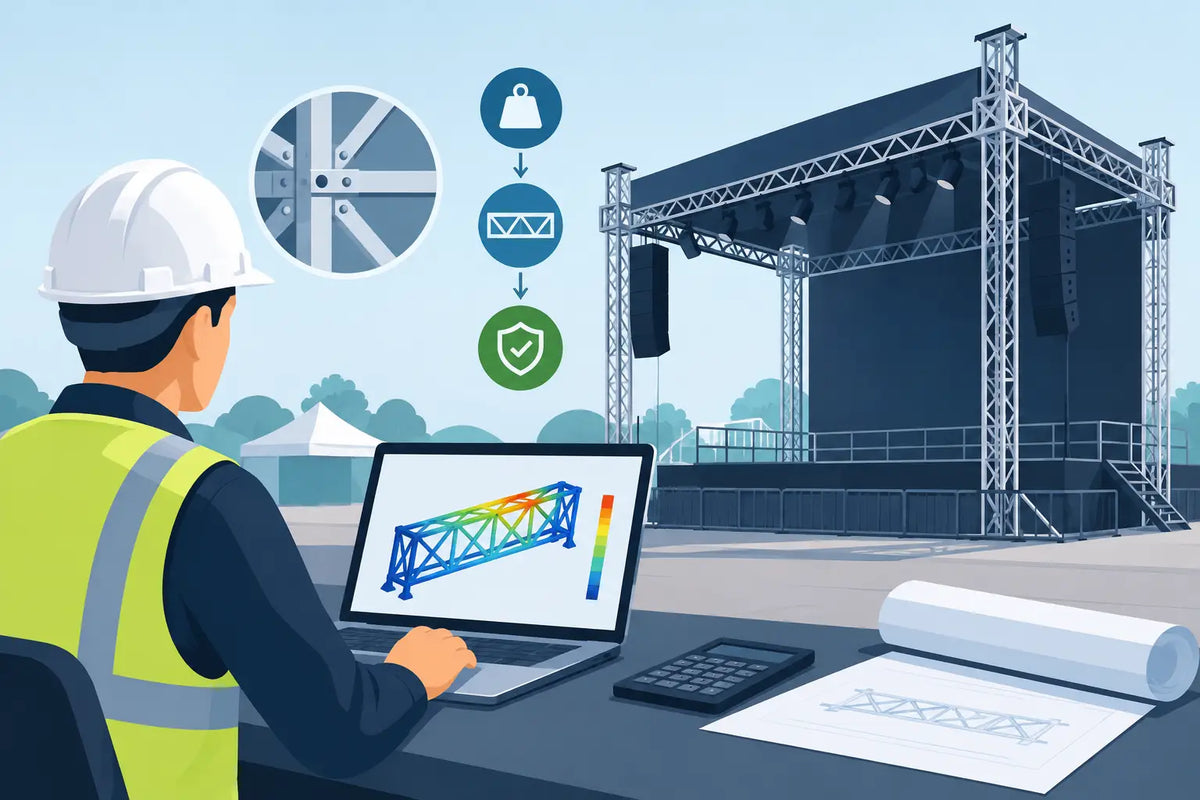
A truss system can look straightforward on a plot and become a serious safety issue once lighting, LED panels, speakers, cable, motors, and signage are added. Event truss load calculation is the process that turns a proposed design into a supportable plan by matching the actual load, span, support method, and configuration to the manufacturer’s published limits. For rental operators and production teams, it should happen before equipment is pulled, loaded, or quoted as a complete package.
The central rule is simple: never estimate a truss capacity from appearance, tube size, or a previous job. Capacity changes with the exact truss series, span, support points, connection method, load position, and orientation. Use the current documentation for the exact product being installed, then involve a qualified rigger or engineer whenever the installation, venue requirements, or load conditions call for it.
Start With the Actual Truss Configuration
A load table is only useful when it matches the build. A 12-inch box truss, for example, may have very different published values depending on whether it is supported at two ends, supported at multiple points, used as a goalpost, built into a grid, or picked by chain hoists. Even truss from the same manufacturer cannot automatically be mixed if series, connection hardware, or dimensions differ.
Before assigning a capacity, document the truss model, outside dimensions, length of every section, alloy or steel construction, connector type, and intended orientation. Confirm whether the truss will be ground-supported, flown, or part of a tower-supported system. Include sleeves, bases, top sections, hinges, corners, junctions, and any proprietary hardware. These are not accessories outside the calculation. They are part of the structural system.
A common planning mistake is treating a rectangular frame as four independent spans. Once corners, diagonal bracing, and multiple supports enter the design, loads can transfer in ways that are not obvious. A ground-supported goalpost also introduces compressive loads into towers and bases, plus overturning forces that a simple horizontal truss table does not address.
What Must Be Included in an Event Truss Load Calculation
The truss itself has weight. So do every fixture, clamp, safety cable, cable loom, adapter, motor, speaker bracket, banner, and accessory installed on it. Start with a complete equipment schedule, using verified manufacturer weights rather than rounded guesses.
The calculation should distinguish among several load types:
- Truss self-weight is the dead load of the truss sections, corners, and structural components.
- Point loads are concentrated loads at specific locations, such as a moving light, loudspeaker, chain motor, or scenic piece.
- Uniformly distributed loads are spread across a length of truss, such as evenly spaced cable or a series of similar lightweight fixtures.
- Dynamic loads can result from moving hoists, chain movement, kinetic elements, or equipment that creates changing forces.
- Environmental loads include wind, rain accumulation, snow, and ice for outdoor installations.
Cable is frequently undercounted. A large feeder run, bundled data cable, or excess cable coiled at one location can add meaningful weight and shift the center of gravity. Account for cable support hardware as well. Cable should be independently and properly managed, not treated as an afterthought that can hang from any available chord.
Read Load Tables Without Skipping the Fine Print
Published truss charts commonly show allowable loads by span, often with separate values for uniformly distributed loads and center point loads. Those values may be stated in pounds, kilograms, or a combination of units. Confirm the units before transferring figures to a plot or worksheet.
More importantly, read the conditions attached to the chart. A value may apply only to a simply supported span with support directly below the ends, a specified allowable deflection, and a stated safety factor. It may exclude torsion, side loading, cantilevers, outdoor use, or dynamic loading. If your use condition differs, the number may no longer apply.
Deflection deserves attention even when the calculated load is below the listed maximum. Excessive sag affects sightlines, alignment, and the appearance of a finished room. It can also change how fixtures hang and how loads are distributed. A build can be technically within a chart limit but still be a poor choice for a clean, professional presentation.
Never add capacities from separate spans or assume a higher rating because extra truss is available. Capacity is determined by the complete system and its documented support conditions. Likewise, do not increase a listed limit because a component appears overbuilt. Manufacturer data and engineering review set the limit, not visual judgment.
A Practical Calculation Workflow
Begin with the approved design, not a rough inventory list. Mark every support location, pick point, tower, base, span, cantilever, and intended fixture position. Then create a load schedule that identifies the weight and exact location of each item. This makes it possible to compare the physical build to the proper chart rather than comparing one total weight to one generic capacity number.
Next, identify the support arrangement. For a basic two-support span, measure the distance between support centers, not simply the total truss length. If the truss overhangs beyond a support, the overhang is a cantilever and must be evaluated accordingly. For a flown system, identify each pick point and confirm the load at that point, including the truss weight attributable to the span.
Then compare the planned point loads and distributed loads to the manufacturer’s allowable values for that exact span and configuration. If a fixture falls between chart increments, use the more conservative interpretation or obtain professional confirmation. Avoid rounding in the direction that makes a design work.
Finally, evaluate the supporting structure. A truss that is within capacity can still be part of an unsafe installation if the chain hoists, shackles, slings, tower, base, roof point, or floor loading are inadequate. In a flown system, the venue’s approved rigging points and their allowable loads govern the installation. In a ground-supported system, base size, ballast, tower capacity, level conditions, and access control matter just as much as the horizontal span.
Ground-Supported Systems Need Their Own Review
A goalpost or small roof system is more than a pair of vertical truss towers holding a horizontal stick. The entire assembly must resist vertical loads, lateral forces, and overturning. Fixtures placed off-center can create unequal tower loading. A banner, scenic panel, or LED wall can introduce wind area that changes the system completely.
Outdoor builds require special caution. Wind can create forces far greater than the static weight of the equipment. Manufacturer instructions may require specified ballast, limits on banner area, wind-management procedures, and a defined shutdown or evacuation plan. If those requirements cannot be met, revise the design rather than improvising additional weight or restraint.
Level, load-bearing ground is also essential. A base on soft turf, sloped pavement, decking, or a surface with underground voids cannot be treated the same as a base on confirmed concrete. Protect the surface where required, but do not use flooring or pads to conceal an unsuitable support condition.
Common Errors That Create Risk
The most preventable errors usually happen in planning. Teams may count fixture weights but omit clamps and cable, use a chart for a similar truss series, measure the wrong span, or rely on a prior setup that had different loads. Another frequent issue is changing fixture positions on site without revisiting the load schedule.
Mixing truss brands or connector types without documented compatibility is another concern. Components that physically fit are not automatically approved as a system. The same applies to used equipment with unknown history, damaged chords, bent diagonals, altered connectors, or missing pins. Remove questionable truss from service until it has been inspected by an appropriate qualified professional.
Do not use the truss as a convenient support for unplanned equipment. Adding a projector, speaker, floral installation, drape, or cable basket after the design is approved changes the load condition. Any change deserves a review before it goes overhead.
Make Calculation Part of Procurement and Prep
The best time to solve a truss capacity issue is before the order is placed. Select truss lengths and support components around the required span and loading plan, rather than assembling a structure from whatever is available in the warehouse. Keep current manufacturer documents with the job file, maintain an inspection process, and train crews to build only the approved configuration.
When sourcing truss, towers, bases, rigging accessories, and compatible hardware, Special Event Sales can help professional buyers align equipment selection with the needs of an event build. For unusual spans, multi-point systems, outdoor structures, or any configuration outside published tables, bring in a qualified engineer or rigger early. A clear load plan protects crews and guests, preserves equipment, and keeps the install moving when show day arrives.